How to Turn Your Favorite Quotes Into Beautiful Shareable Images Using a Free AI Photo Editor
You’ve found the perfect quote. It stopped you mid-scroll, made you screenshot it, maybe even saved it three different places. Now it’s sitting in your camera roll doing nothing. This guide shows you how to turn it into something people actually share — using a free AI photo editor that does most of the design work for…
Never miss an update — choose Quotelicious as your preferred source on Google.
How it works: Tap the button below to open Google’s settings page, then check the box next to Quotelicious.
Tap the checkbox to turn it blue — that’s how you know it’s set.
You’ve found the perfect quote. It stopped you mid-scroll, made you screenshot it, maybe even saved it three different places. Now it’s sitting in your camera roll doing nothing. This guide shows you how to turn it into something people actually share — using a free AI photo editor that does most of the design work for you.
Quick Summary
- Quote images on Pinterest generate 2x more saves than standard text pins, per Pinterest Business data, 2024.
- Posts with quotes get 19% more interactions on Instagram than average non-quote image posts — Hootsuite Social Trends Report, 2024.
- A well-designed quote image takes under 15 minutes with an AI photo editor, down from hours in traditional design tools.
- The most-shared quote images share three traits: emotional resonance, readable text, and a background that matches the mood of the words.
Why Quote Images Still Spread Faster Than Text Posts
Text-only posts have a harder job. They have to earn your attention before you’ve read a single word. A well-designed quote image does the opposite — the visual pulls you in first, and then you read. That sequence matters a lot on platforms built for fast scrolling.
Pinterest is probably the clearest example. Quote boards are some of the most followed content categories on the platform, and a single high-quality quote image can circulate for years. It gets repinned, saved, shared to Instagram Stories, screenshotted and reposted. One image, one good quote, designed well — and it just keeps moving.
Instagram tells a similar story. Hootsuite’s 2024 Social Trends Report found that quote-based posts generate roughly 19% more interactions than the average non-quote image. That’s not a small gap. It’s the difference between a post that gets seen and one that gets saved.
The catch is that a poorly designed quote image does the opposite — it signals low effort and gets scrolled past faster than plain text would. Design matters. Which is exactly where an AI photo editor earns its place.


What Actually Makes a Quote Image Shareable
Not every quote image gets shared. Most don’t. The ones that do tend to share a few specific qualities — and once you know what they are, you can design for them intentionally.
The quote lands emotionally
This sounds obvious but it’s worth saying clearly: people share things that make them feel something. A quote that is technically interesting but emotionally neutral doesn’t travel. The quotes that go everywhere are the ones that make someone think “yes, exactly that” or “I needed to read this today.” The design can amplify that feeling, but it can’t create it from scratch.
The text is readable in under five seconds
If someone has to squint, zoom in, or pause to parse the font, they’re gone. Quote images that spread are almost always scannable instantly. Short quotes have a significant advantage here — one punchy line beats three thoughtful sentences for shareability, even if the three sentences are better writing.
The background reinforces the mood
A sunrise photo under a motivational quote works because both are saying the same thing — new beginning, possibility, forward movement. A cluttered background under a minimalist quote creates friction that people feel without being able to name it. Mood alignment between text and visual is one of those things that’s invisible when it’s right and obvious when it’s wrong.
“The most viral quote images aren’t the most beautifully designed ones. They’re the ones where the visual and the words feel like they were made for each other. That feeling of unity is what makes someone want to save it.”— Jenna Kutcher, marketing strategist and host of the Goal Digger Podcast, 2024
How to Pick the Right Quote for a Visual Format
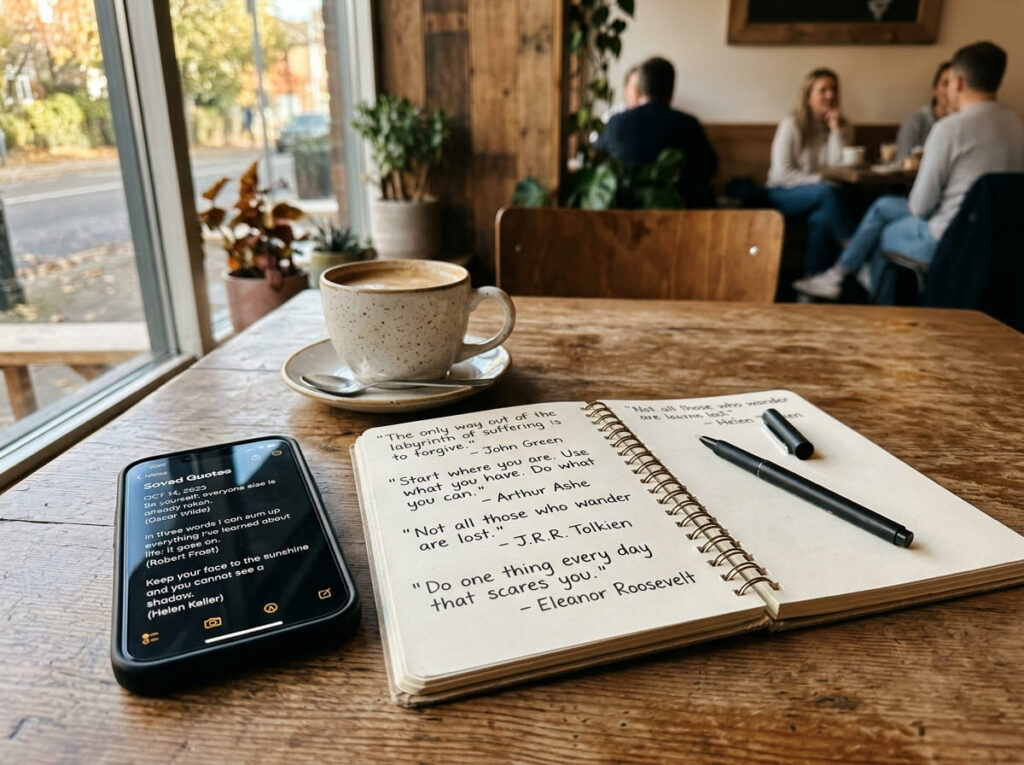
Not every great quote translates into a great image. Length is the first filter. Anything over 30 words starts to feel cramped in a standard image format — the font has to shrink to fit, readability drops, shareability drops with it.
Here’s a rough guide:
| Quote Length | Works Best As | Platform Fit |
|---|---|---|
| Under 10 words | Bold single-line statement image | Instagram, Twitter/X, Stories |
| 10–20 words | Standard quote image, 2–3 lines | Pinterest, Instagram feed, Facebook |
| 20–35 words | Portrait-format quote card | Pinterest, long-form Instagram captions |
| 35+ words | Break into a series of images, or use text post instead | Carousel posts, Twitter/X threads |
Beyond length, think about specificity. The quotes that spread most widely are often the ones that feel universal but somehow specific — the kind of thing that seems like it was written directly for whoever is reading it. Vague inspirational platitudes travel less than precise emotional observations.
How to Design Your Quote Image Step by Step
The whole process takes 10 to 15 minutes once you know the workflow. Here it is from the beginning.
Step 1. Pick your quote and decide on the emotional tone
Before you open any tool, know what feeling you want the image to create. Is this quote hopeful? Melancholy? Funny? Defiant? The tone determines the background, the font style, and the color palette. Trying to figure this out inside the editor slows everything down.
Step 2. Open the AI photo editor and set your canvas size
Open AI image editor in any browser. No download, no account needed to start. Set your canvas dimensions based on where you’re posting — 1080x1080px for Instagram square, 1000x1500px for Pinterest. Getting the size right at the start saves a crop-and-rescale later.
Step 3. Generate your background with a text prompt
This is where the AI earns its place. Instead of searching stock photo sites or fiddling with gradients, describe what you want: “soft golden hour light through forest trees, warm and hopeful mood” or “dark dramatic storm clouds, moody blue tones, cinematic” or “minimal clean white texture, soft shadows, elegant.” The AI generates a background in seconds. Generate two or three options and pick the one that fits the quote’s tone best.
Step 4. Add your text
Type the quote directly onto the canvas. Keep the font clean and readable — serif fonts (like Georgia or Playfair) feel classical and elegant; sans-serifs (like Helvetica or Montserrat) feel modern and bold. Match the font mood to the quote mood. A funny quote in an elaborate script font creates confusion. A philosophical quote in a heavy block font feels off.
Put the attribution — the author’s name — in a smaller font below the quote. Never skip the attribution. It adds credibility, and people often share quote images specifically to discover the source.
Step 5. Check contrast before you export
Zoom out and look at the image small — the size it will appear in a feed. Can you read the quote instantly? If the text blends into the background even a little, add a subtle dark overlay behind the text, or switch to a contrasting font color. White text on a dark background is reliable almost every time. Black text on a light background works too. Anything in between risks readability.
Step 6. Export and share
Export as PNG for sharpest quality, especially if the image has fine typography. JPEG works fine for photo-heavy backgrounds where compression isn’t noticeable. Save at the native canvas size — don’t scale up after the fact.


Matching Backgrounds to Quote Moods
This is probably the most impactful single decision in a quote image. The wrong background doesn’t just look bad — it actively undermines the quote. The right one makes the words feel inevitable.
| Quote Mood | Background Direction | AI Prompt Example |
|---|---|---|
| Motivational / Hopeful | Sunrise, open horizon, warm golden light | “Sunrise over mountains, warm golden tones, wide open sky, hopeful mood” |
| Romantic / Love | Soft bokeh, florals, warm blur, candlelight | “Soft pink and cream bokeh background, dreamy, romantic, gentle light” |
| Philosophical / Deep | Minimal texture, dark tones, dramatic light | “Dark moody background, subtle texture, single beam of light, contemplative” |
| Funny / Playful | Bright colors, clean gradients, bold patterns | “Bright yellow and orange gradient background, clean, energetic, fun” |
| Calm / Mindfulness | Nature close-ups, soft greens, water, mist | “Misty forest morning, soft greens and blues, peaceful, meditative atmosphere” |
| Grief / Healing | Muted tones, gentle textures, soft focus | “Soft grey watercolor texture, muted, gentle, quiet and healing mood” |
When in doubt, go simpler. A clean gradient or a subtle texture will rarely clash with the quote. A specific photographic scene might be perfect — or it might be distracting. Simpler backgrounds have a lower failure rate.
Typography Rules That Make or Break a Quote Image
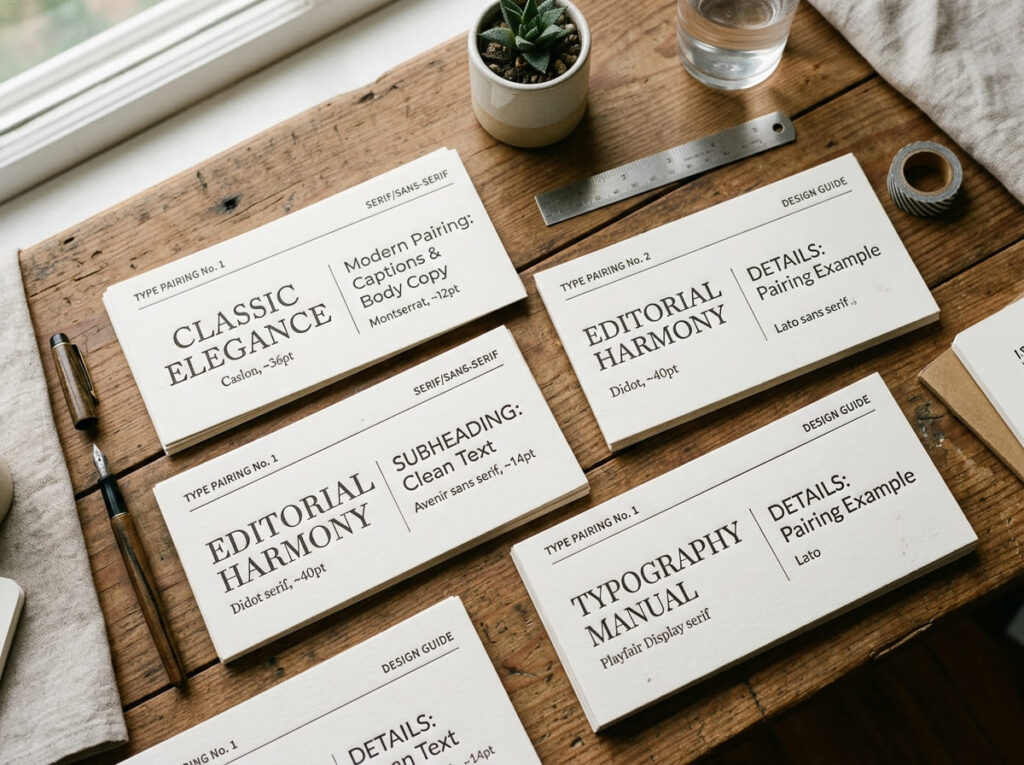
You don’t need to know anything about typography to make good quote images. You just need to avoid a handful of things that consistently make them worse.
- One font per image, two maximum. Use one for the quote text and one for the attribution. More than two fonts in a single image looks chaotic and amateur.
- Font size hierarchy matters. The quote should be the biggest thing on the image. The author name should be noticeably smaller. Any tagline or account handle should be smaller still. When everything is the same size, nothing stands out.
- Left-align for longer quotes, center for short ones. Centered text looks elegant for a single line or two. For three or more lines, left-aligned is easier to read and looks more intentional.
- Don’t stretch or squash fonts. If a quote is too long to fit comfortably, shorten it or use a smaller font size — don’t horizontally compress the text to make it fit. Compressed text looks wrong even to people who can’t explain why.
- Add a subtle text shadow or semi-transparent background behind text on busy images. This is the single biggest readability fix for photo backgrounds. A 40–50% opacity dark overlay behind just the text section keeps the background visible while guaranteeing contrast.
“Typography in quote graphics is invisible when it’s right and painful when it’s wrong. If readers notice the font before they notice the quote, something has gone wrong.”— Ellen Lupton, graphic design educator and author of Thinking With Type, speaking at the AIGA Design Conference, 2024
Sizing for Instagram, Pinterest, Facebook, and More
Platform sizing isn’t optional. An image cropped wrong for a platform either gets cut off or gets letterboxed with ugly white bars. Neither is great for a quote image where every pixel of composition matters.
| Platform / Format | Recommended Size | Aspect Ratio |
|---|---|---|
| Instagram Feed (Square) | 1080 x 1080px | 1:1 |
| Instagram Feed (Portrait) | 1080 x 1350px | 4:5 |
| Instagram / Facebook Story | 1080 x 1920px | 9:16 |
| Pinterest Standard Pin | 1000 x 1500px | 2:3 |
| Facebook Feed Post | 1200 x 630px | 1.91:1 |
| Twitter / X Post | 1600 x 900px | 16:9 |
| LinkedIn Post | 1200 x 627px | 1.91:1 |
If you’re posting the same quote to multiple platforms, design for the most restrictive format first — usually Pinterest’s tall 2:3 ratio — and then crop versions for the others. It’s easier to crop down from tall than to pad a square into a vertical.
Mistakes That Kill an Otherwise Great Quote Image
A few of these come up constantly. Worth knowing before you start rather than after.
- Too much going on. A busy background, multiple fonts, a watermark, a border, a gradient overlay, and a drop shadow all in one image. Every element competes with the quote. The quote always loses. Restraint is a design skill.
- Low-contrast text on a mid-tone background. Grey text on a beige background. Dark navy on a dark photo. These look fine on your monitor and unreadable on a phone screen in daylight. Always check contrast on your phone before posting.
- Misattribution. Posting a quote under the wrong author name is genuinely common with famous quotes, especially on Pinterest where misattributed versions circulate endlessly. Take 30 seconds to verify the source before it goes on the image. Getting this wrong is embarrassing and it spreads.
- Watermarking too aggressively. A subtle handle in small text at the bottom is fine and smart. A large logo or URL overlaid on the quote is annoying enough that people will crop it out before sharing — which means your credit disappears entirely.
- Choosing a quote that’s too long. If the font has to go below 18pt to fit the quote, the quote is too long for the format. Break it into a carousel, trim it to the most powerful line, or post it as text instead.
Frequently Asked Questions
Can I make quote images without any design skills?
Yes — that’s basically the point of using an AI photo editor for this. You describe what you want (the mood, the background style, the feeling of the image) and the AI generates it. You add the text, check the contrast, and export. The design decisions that used to require knowing Photoshop or hiring someone are now handled by the tool. What’s left is choosing a good quote and knowing what mood you’re going for — both of which are judgment calls, not technical skills.
What size should a quote image be for Instagram and Pinterest?
For Instagram, 1080x1080px (square) is the most versatile. If you want more feed real estate, 1080x1350px (portrait 4:5) takes up more vertical space in the feed and tends to get more views. Pinterest strongly prefers tall images — 1000x1500px is the standard. Set your canvas size in the AI editor before you start so you’re designing for the right dimensions from the beginning.
What actually makes a quote image shareable?
Three things, in rough order of importance: the quote resonates emotionally with the person seeing it, the text is readable instantly without zooming in, and the visual background matches the mood of the words. Images that go viral almost always have all three. Images that flop usually have one but not the others — a great quote on an unrelated background, or a beautiful image with text that’s hard to read.
How do I choose the right background for a quote image?
Start with the emotional tone of the quote. Hopeful and motivational quotes suit open skies, warm light, wide landscapes. Romantic quotes work with soft bokeh, florals, warm blur. Funny quotes can handle bolder, brighter, more chaotic backgrounds. Philosophical or melancholy quotes often suit minimal, moody, dark-toned images. With an AI photo editor you can describe the mood in a text prompt — “soft misty morning forest, peaceful and calm” — and get a background that fits without searching through stock libraries.
Can I use quote images commercially or on social media?
Sharing quote images on personal social media is generally fine and considered fair use. Where it gets more complicated: using quotes in paid advertising, on products you’re selling, or in commercial content without permission from a living author or publisher. Quotes from historical figures, public domain works, and anonymous sayings are generally safe for any use. When there’s any doubt, attribute clearly and don’t use the quote in paid promotional material without checking the copyright status first.
Sources
- Pinterest Business. 2024 Pinterest Trends Report: Content Performance by Format. business.pinterest.com
- Hootsuite. 2024 Social Media Trends Report. hootsuite.com/research
- Kutcher, Jenna. Goal Digger Podcast. Episode on visual content strategy, 2024. jennakutcher.com
- Lupton, Ellen. Remarks at AIGA Design Conference 2024. aiga.org
- Lupton, Ellen. Thinking With Type. Princeton Architectural Press, 3rd edition.
- Adobe Inc. 2024 Creative Economy Report: AI Tools and Content Creators. adobe.com
- Sprout Social. 2024 Index: Engagement Benchmarks by Post Type. sproutsocial.com/insights
Never miss an update — choose Quotelicious as your preferred source on Google.
How it works: Tap the button below to open Google's settings page, then check the box next to Quotelicious.
Tap the checkbox to turn it blue — that's how you know it's set.